
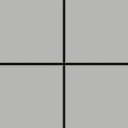
Crosshair
ID
eipfmijiampcbhdaafgbpenimjdpoonbFullscreen crosshair cursor. Option/Alt to toggle, click or Esc to disable.
تصاویر صفحه
توضیحات
Crosshair adds a fullscreen overlay cursor – a horizontal line and a vertical line that follow your mouse. Use it for alignment, layout, measuring, design, or on-screen aiming.
Toggle it with Option / Alt (or your own shortcut). Click or press Esc to turn it off.
Features
• Fullscreen crosshair that tracks the cursor
• Freeze marks: drop a crosshair in place and keep moving the live one, as many times as you need
• Pause the extension from the popup so it does not intercept your shortcuts
• Adjustable line thickness (0.25 – 10 px)
• Custom color
• Optional “dismiss on click”
• Custom keyboard shortcuts (bound to the physical key, works with any keyboard layout)
• Light, dark, or system theme
• Many interface languages
• Works over nested pages and iframes
• Settings stay on your device
How to use
1. Click the Crosshair icon in the toolbar, or press Option / Alt.
2. Move the mouse – the lines follow.
3. Click or press Esc to hide the overlay.
4. Open the popup to change thickness, color, shortcuts, theme, or language.
5. Optional: assign a Freeze key, then press it to leave a mark at the current position. Clear the Freeze key with the trash button next to it.
What’s new in 1.1.1
• Freeze shortcut with unlimited marks
• On/Off button in the popup
• Crosshair works inside iframes (for example Tableau, Power BI, Google Sheets, Looker Studio, Figma, etc.)