
Mga screenshot
Paglalarawan
Get things done quickly in a small window!
Common situations while browsing the web...
“What did this word mean again?”
“I want to save the images on this site in one go!”
“Let's share this site on Facebook or Twitter.”
“What is the Japanese translation of this English word?”
At times like these, right-click to open a small window and quickly get things done!
*** Feature description ***
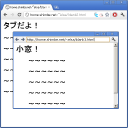
Open a preset URL in a small window within the page.
URL settings can include the tab's URL and title, selected text, or a link address.
The embedded window can be moved and resized freely within the page. Drag the title bar to move it and drag its border to resize it. You can also open it in a new tab or a separate window instead of a small window.
You can also configure addresses beginning with “javascript:” to run bookmarklets from the right-click menu.
Note: In addition to the minimize button, you can minimize the window with the ESC key or by double-clicking the title bar.
Note: Some sites may appear distorted when opened within the page. If you tell me which sites are affected, I will try to address the issue.
Note: The URL may not be passed correctly for pages displayed using the Back button or similar navigation. Please refresh the page before use.
Note: Some sites cannot be opened within the page because of their settings (X-Frame-Options).
*** Update history ***
~ 2017 ~
6/10
・Fixed bugs and changed the small window to close when its favicon is double-clicked.
~ 2014 ~
3/21
・Fixed an issue that prevented image downloads from working properly.
2/6
・Fixed various features broken by a Chrome version update.
~ 2013 ~
8/12
・Adjusted the design around the address bar.
6/14
・Fixed an issue that made the address bar narrow.
Sorry for the delayed response.
2/18
・Fixed a bug that prevented the extension from working immediately after installation.
Sorry for the inconvenience.
2/10
・Added support for downloading site images as a ZIP file.
・Fixed bugs.
1/27
・Fixed an issue that prevented normal operation immediately after an update.
1/26
・Added support for canonical URLs.
・Added URL encoding for metacharacters.
~ 2012 ~
12/20:
・Fixed misaligned items on the options screen.
11/14:
・Fixed a bug that prevented opening in a separate window.
・Added a “Share site” item.
11/4:
・Fixed the position of the small window icon.
Fixed other minor bugs.
9/16:
・Bug fixes and other changes.
9/4:
・Added support for manifest ver2.
・Other bug fixes.
3/21:
・Changed the small window to open and close with a single click on its title bar.
・Changed it to minimize automatically when the original page receives focus while the small window is displayed.
~ 2011 ~
・Added icons to the title bar.
12/10:
・Fixed an issue processing Google search results pages.
・Made Ctrl+Shift+click open links in a small window.
11/16:
・Fixed an issue preventing options from being saved.
・Changed how CSS is loaded.
10/19:
・Switched to Bing because Google could no longer be used due to X-Frame-Options.
・Made the window resizable in all directions.
・Added an option to make the small window translucent while dragging it.
・Added an option to make the small window translucent when scrolling the parent window.
7/30:
・Fixed an issue causing major layout distortion during certain actions.
7/15:
・Fixed minor bugs.
7/13:
・Made various minor appearance fixes.
7/11:
・Added support for URLs beginning with “javascript:”.
・Changed behavior when opening a new tab and added support for URLs beginning with “chrome://”, among others.
7/8:
・Initial release.