
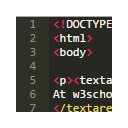
स्क्रीनशॉट
वर्णन
Replace any textarea with Ace Editor in Chrome.
AceArea is a Chrome Extension that allows you to use Ace Editor for editing code in a textarea field on a webpage. I developed this extension after getting tired of copying back and forth from a textarea to a text editor while coding.
Features:
- Multiple Cursors
- Syntax Highlighting
- Autocompletion
- Themes
- Much more!
Usage:
1.- Click in textarea
2.- Press Ctrl+Shft+8
3.- Make changes in editor
4.- Press Ctrl+Shft+8
Note: To view settings press Ctrl+Q while the editor is open.